Choosing the Right JOIN
Introduction
With so many JOIN types available, how do you know which one to use? Choosing the right JOIN is crucial for getting correct results and optimal performance.
In this tutorial, you will learn:
- A decision framework for selecting JOINs
- Questions to ask when choosing a JOIN
- Common scenarios and their appropriate JOINs
- Tips for debugging JOIN-related issues
Quick Reference: All JOIN Types
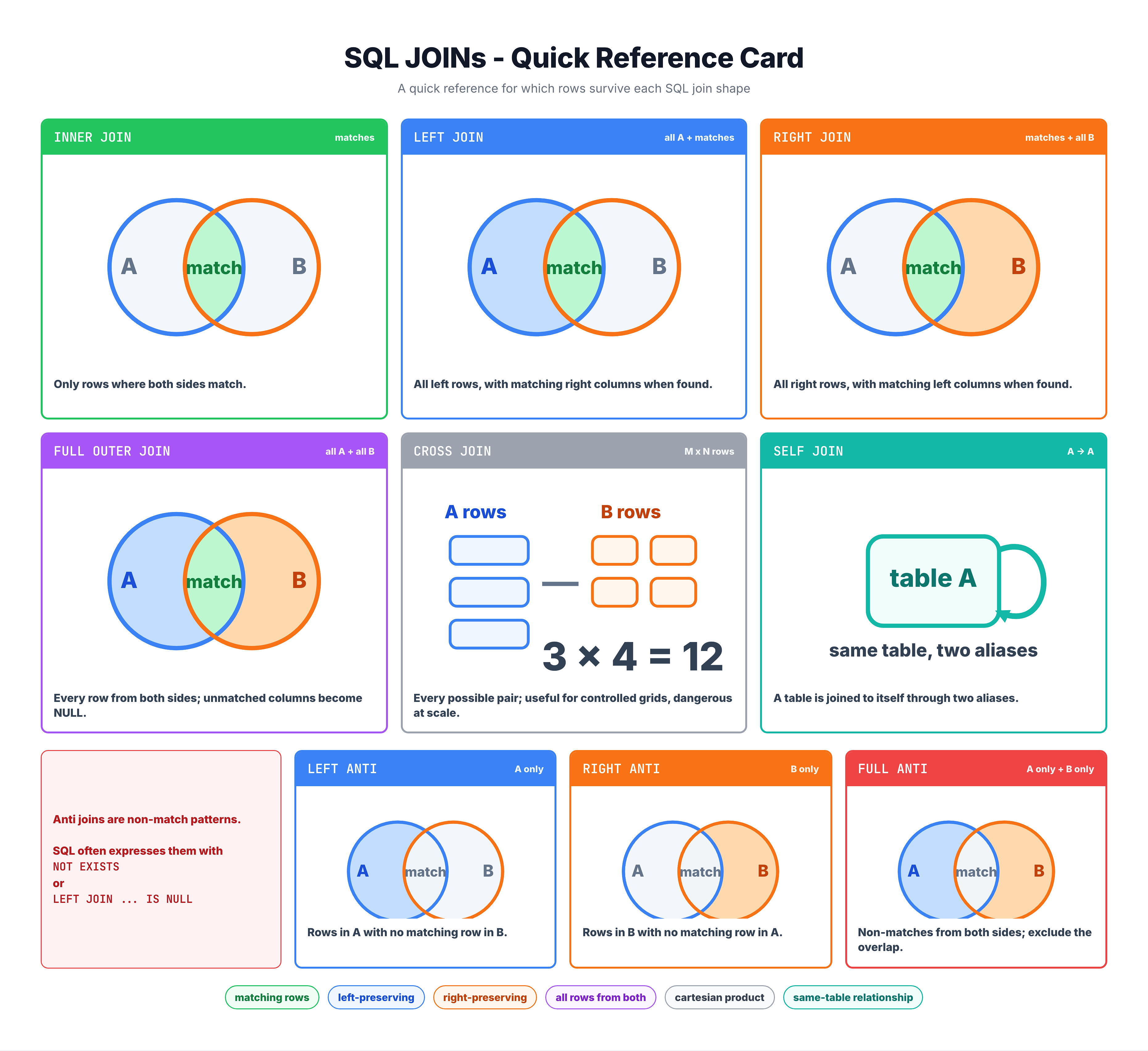
JOIN Types Summary
| JOIN Type | Returns | Use When |
|---|---|---|
| INNER JOIN | Matching rows only | You need related data from both tables |
| LEFT JOIN | All left + matches | You need all left rows, even without matches |
| RIGHT JOIN | All right + matches | You need all right rows (prefer LEFT JOIN instead) |
| FULL JOIN | All from both sides | You need everything, matched or not |
| LEFT ANTI | Left rows with NO match | Finding items without relationships |
| RIGHT ANTI | Right rows with NO match | Finding orphaned records |
| FULL ANTI | Non-matching from both | Data reconciliation |
| CROSS JOIN | All combinations | Generating all possible pairs |
Visual Summary
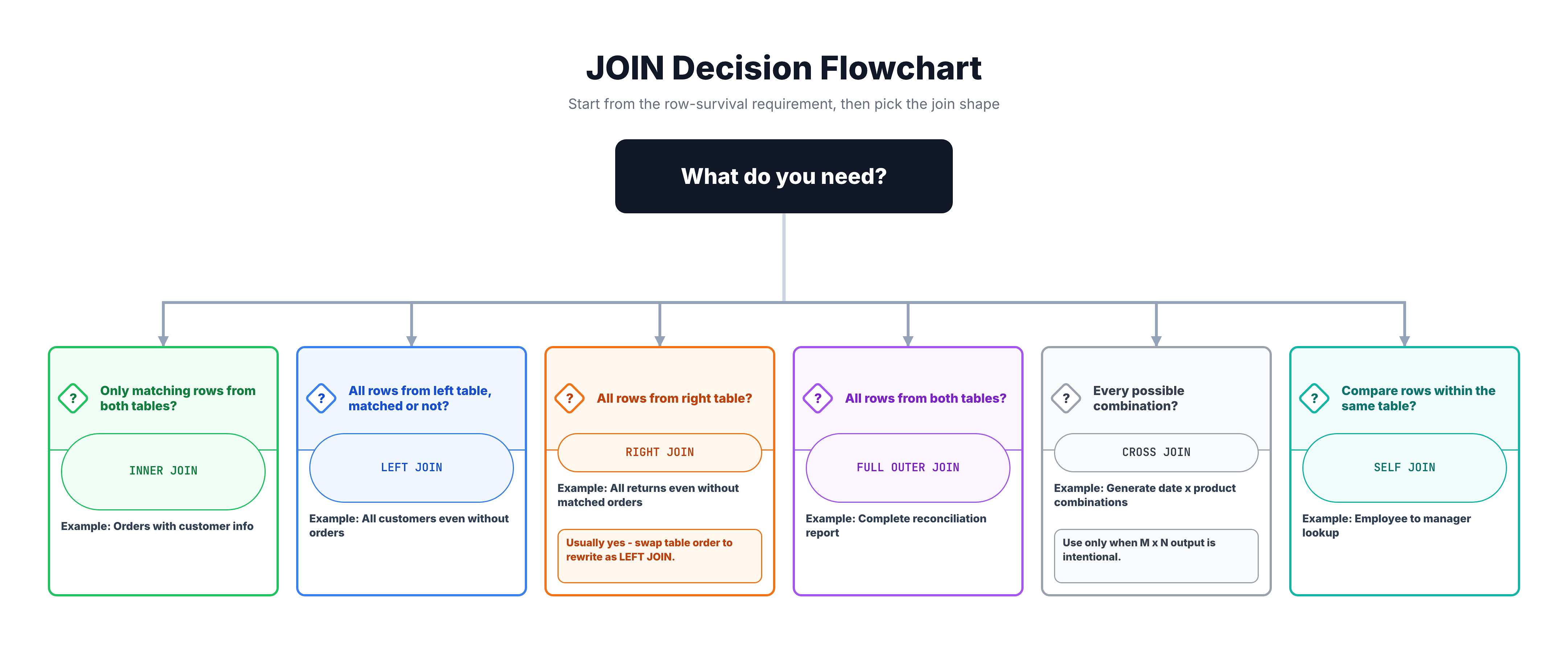
The Decision Framework
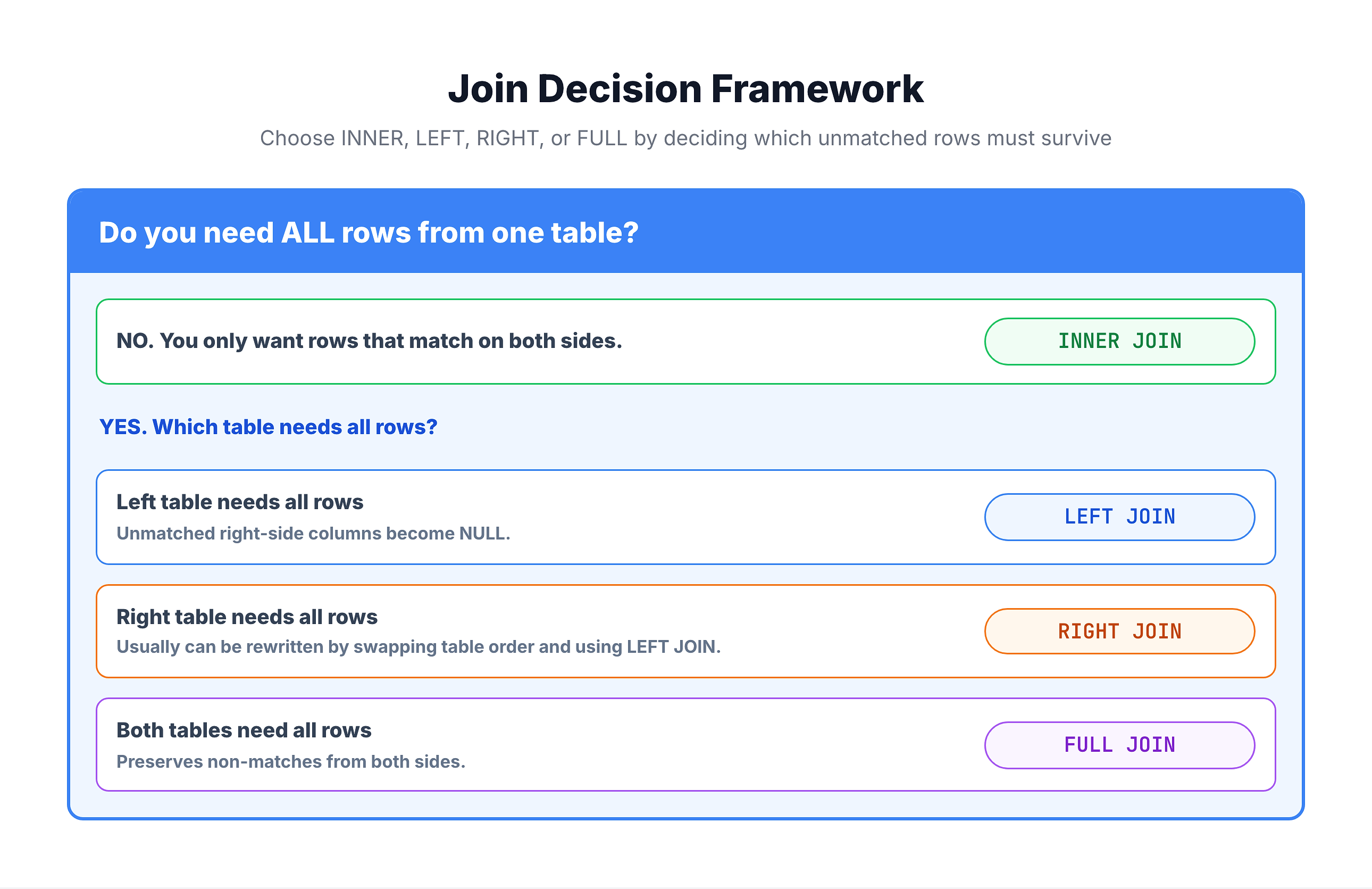
Ask these questions in order:
Question 1: Do I need ALL rows from one table?
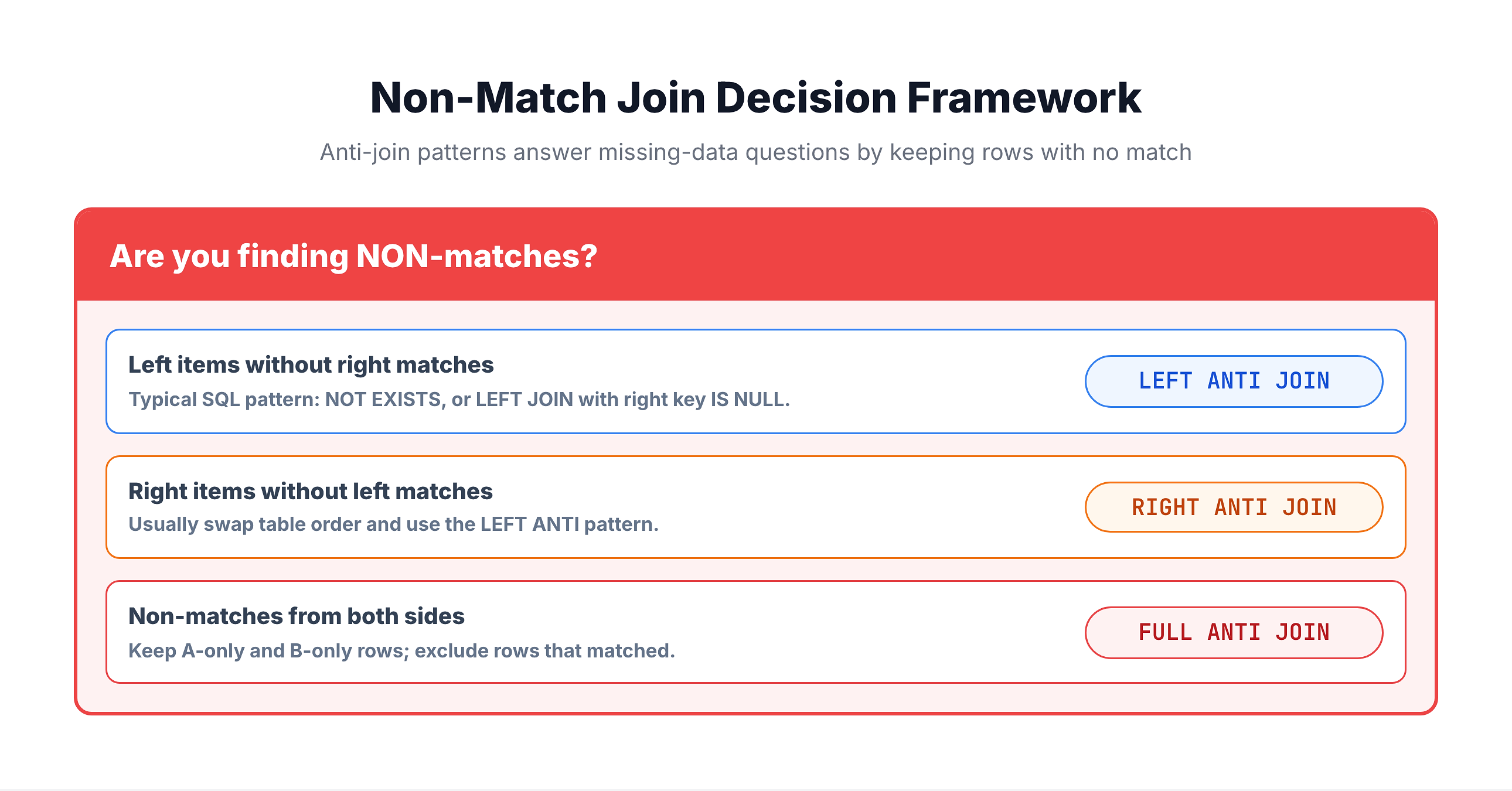
Question 2: Am I looking for MISSING relationships?
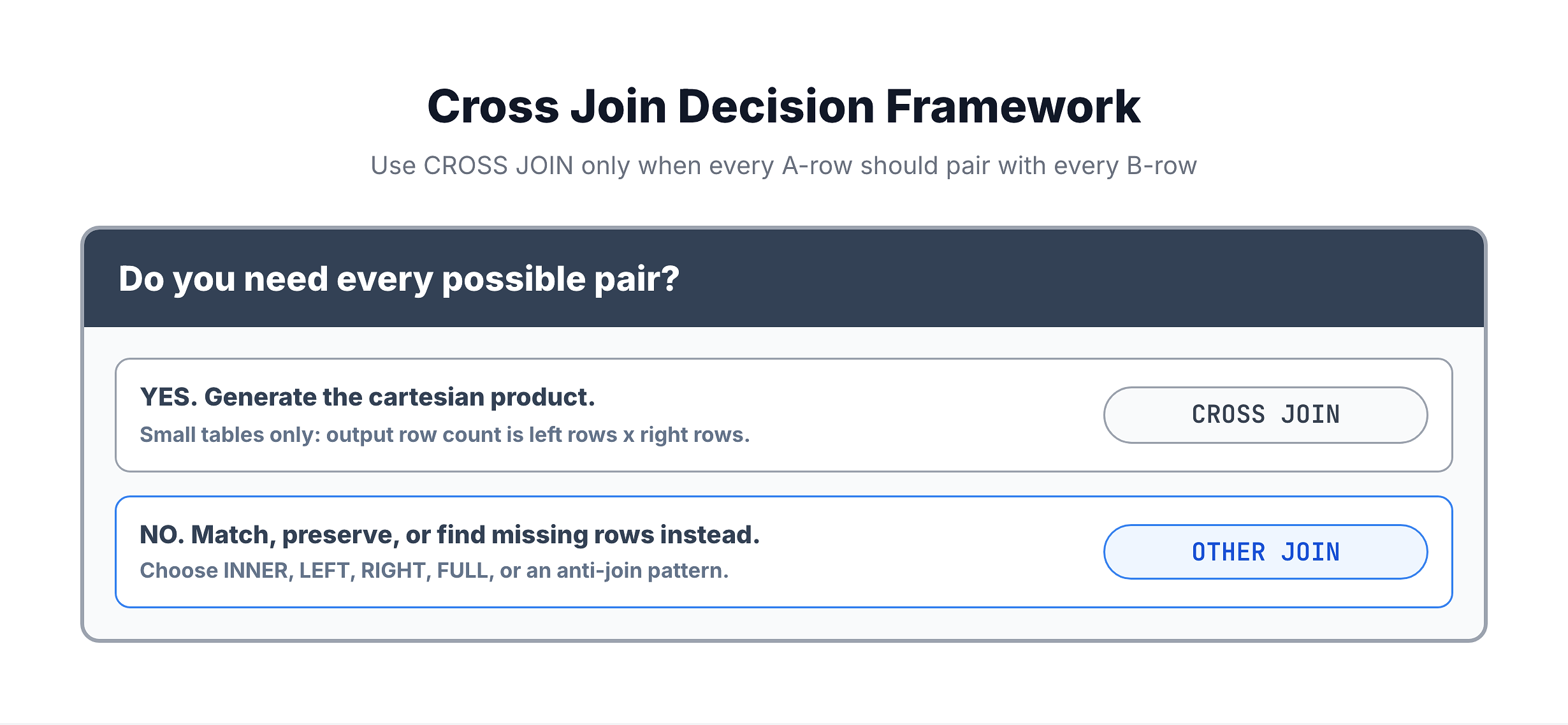
Question 3: Do I need ALL combinations?
Scenario-Based Guide
Scenario 1: "Show me orders with their customer details"
Analysis:
- Need customer info FOR orders that exist
- Every order should have a customer
- Only want valid, complete data
Answer: INNER JOIN
SELECT o.order_id, c.customer_city
FROM orders o
INNER JOIN customers c ON o.customer_id = c.customer_id;
Scenario 2: "Show me ALL customers and their orders (if any)"
Analysis:
- Need ALL customers
- Some customers might not have orders
- Want to see customers even with no orders
Answer: LEFT JOIN
SELECT c.customer_id, o.order_id
FROM customers c
LEFT JOIN orders o ON c.customer_id = o.customer_id;
Scenario 3: "Which customers have NEVER ordered?"
Analysis:
- Looking for ABSENCE of relationship
- Need customers WITHOUT orders
Answer: LEFT ANTI JOIN
SELECT c.customer_id, c.customer_city
FROM customers c
LEFT JOIN orders o ON c.customer_id = o.customer_id
WHERE o.order_id IS NULL;
Scenario 4: "Count orders per customer, including customers with 0 orders"
Analysis:
- Need ALL customers for complete count
- Must include zeros
Answer: LEFT JOIN with COUNT
SELECT c.customer_id, COUNT(o.order_id) AS order_count
FROM customers c
LEFT JOIN orders o ON c.customer_id = o.customer_id
GROUP BY c.customer_id;
More Scenarios
Scenario 5: "Compare old and new product lists"
Analysis:
- Need to see ALL products from both lists
- Some exist only in old, some only in new, some in both
Answer: FULL JOIN (or simulated in SQLite)
SELECT
    old.product_id AS old_id,
    new.product_id AS new_id
FROM old_products old
FULL JOIN new_products new ON old.product_id = new.product_id;
Scenario 6: "Find data quality issues on BOTH sides"
Analysis:
- Find customers without orders AND orders without valid customers
- Need non-matches from both sides
Answer: FULL ANTI JOIN
-- Customers without orders
SELECT c.customer_id, NULL AS order_id, 'No orders' AS issue
FROM customers c
LEFT JOIN orders o ON c.customer_id = o.customer_id
WHERE o.order_id IS NULL
UNION ALL
-- Orders without customers
SELECT NULL, o.order_id, 'Invalid customer' AS issue
FROM orders o
LEFT JOIN customers c ON o.customer_id = c.customer_id
WHERE c.customer_id IS NULL;
Scenario 7: "Generate all size-color combinations for inventory"
Analysis:
- Need EVERY possible combination
- Small reference tables
Answer: CROSS JOIN
SELECT s.size, c.color
FROM sizes s
CROSS JOIN colors c;
Common Mistakes and Fixes
Mistake 1: Using INNER JOIN When You Need All Rows
❌ Problem: "Why are some customers missing from my report?"
-- Only shows customers WITH orders
SELECT c.customer_id, COUNT(o.order_id)
FROM customers c
INNER JOIN orders o ON c.customer_id = o.customer_id
GROUP BY c.customer_id;
✅ Fix: Use LEFT JOIN
-- Shows ALL customers, including those with 0 orders
SELECT c.customer_id, COUNT(o.order_id)
FROM customers c
LEFT JOIN orders o ON c.customer_id = o.customer_id
GROUP BY c.customer_id;
Mistake 2: Filtering in WHERE Breaks LEFT JOIN
❌ Problem: "My LEFT JOIN is acting like INNER JOIN"
-- WHERE filters out NULLs!
FROM customers c
LEFT JOIN orders o ON c.customer_id = o.customer_id
WHERE o.order_status = 'delivered';  -- Excludes customers with no orders!
✅ Fix: Move filter to ON clause
-- Filter in ON preserves LEFT JOIN behavior
FROM customers c
LEFT JOIN orders o
    ON c.customer_id = o.customer_id
    AND o.order_status = 'delivered';
Mistake 3: Wrong Table on Left Side
❌ Problem: "I want all orders but I'm getting all customers"
-- Gets all customers
FROM customers c
LEFT JOIN orders o ON c.customer_id = o.customer_id;
✅ Fix: Swap table order
-- Gets all orders
FROM orders o
LEFT JOIN customers c ON o.customer_id = c.customer_id;
Decision Flowchart
Practice
Let's practice choosing the right JOIN for different scenarios.
Exercise 1: The Right JOIN for Complete Customer List
Show all customers with their order count (including 0):
-- Scenario: Show ALL customers with order counts
-- Need: All customers, even those with 0 orders
-- Answer: LEFT JOIN

SELECT
    c.customer_id,
    c.customer_city,
    COUNT(o.order_id) AS order_count
FROM olist_customers_dataset c
LEFT JOIN olist_orders_dataset o
    ON c.customer_id = o.customer_id
GROUP BY c.customer_id, c.customer_city
ORDER BY order_count ASC
LIMIT 15;
Exercise 2: Finding Inactive Sellers
Find sellers who have never made a sale:
-- Scenario: Find sellers with NO sales
-- Need: Sellers WITHOUT order_items
-- Answer: LEFT ANTI JOIN

SELECT
    s.seller_id,
    s.seller_city,
    s.seller_state
FROM olist_sellers_dataset s
LEFT JOIN olist_order_items_dataset oi
    ON s.seller_id = oi.seller_id
WHERE oi.order_id IS NULL
LIMIT 10;
Exercise 3: Orders with Product Details
Show order items with their product category (only items with valid products):
-- Scenario: Show order items WITH their product category
-- Need: Only items that have valid product info
-- Answer: INNER JOIN

SELECT
    oi.order_id,
    oi.product_id,
    p.product_category_name,
    oi.price
FROM olist_order_items_dataset oi
INNER JOIN olist_products_dataset p
    ON oi.product_id = p.product_id
LIMIT 15;
Exercise 4: Complete Report Matrix
Create a complete report with all state-status combinations:
-- Scenario: Complete matrix of states × order status with counts
-- Need: All combinations, even those with 0
-- Answer: CROSS JOIN for scaffold + LEFT JOIN for data

WITH state_status_scaffold AS (
    SELECT s.state, st.status
    FROM (SELECT DISTINCT customer_state AS state
          FROM olist_customers_dataset LIMIT 5) s
    CROSS JOIN (SELECT DISTINCT order_status AS status
                FROM olist_orders_dataset) st
)
SELECT
    scaffold.state,
    scaffold.status,
    COUNT(o.order_id) AS order_count
FROM state_status_scaffold scaffold
LEFT JOIN olist_orders_dataset o
    ON scaffold.status = o.order_status
LEFT JOIN olist_customers_dataset c
    ON o.customer_id = c.customer_id
    AND scaffold.state = c.customer_state
GROUP BY scaffold.state, scaffold.status
ORDER BY scaffold.state, order_count DESC;
Quick Reference Card
Phrase → JOIN Type
| When you hear... | Use... |
|---|---|
| "Show me X with their Y" | INNER JOIN |
| "Show ALL X, even without Y" | LEFT JOIN |
| "Which X have no Y?" | LEFT ANTI JOIN |
| "Which Y have invalid X?" | RIGHT ANTI JOIN (or swapped LEFT ANTI) |
| "Compare two lists" | FULL JOIN |
| "Find all mismatches" | FULL ANTI JOIN |
| "All possible combinations" | CROSS JOIN |
| "Include zeros in counts" | LEFT JOIN |
| "Only valid/complete records" | INNER JOIN |
Summary
Key Takeaways
- Ask the right questions:
- Need ALL from one side? → LEFT/RIGHT/FULL JOIN
- Only matching data? → INNER JOIN
- Finding non-matches? → ANTI JOINs
- All combinations? → CROSS JOIN
- Common patterns:
- "All X with optional Y" → LEFT JOIN
- "X that have Y" → INNER JOIN
- "X that don't have Y" → LEFT ANTI JOIN
- "Count including zeros" → LEFT JOIN with COUNT
- Watch out for:
- WHERE clause breaking LEFT JOIN
- Wrong table on left side
- Accidental INNER JOIN when LEFT needed
- Best practices:
- Start with the question, not the syntax
- Consider what rows MUST appear in results
- Think about edge cases (no matches, NULLs)
What's Next?
Finally, we'll learn about joining more than two tables - Multiple Table JOINs.