Types of Indexes
Introduction
Now that you understand what an index is and why it is important, the next question is: what kinds of indexes are available? SQL Server provides several types of indexes, each designed for different scenarios and data access patterns.
In this tutorial, you will learn:
- The major categories of indexes in SQL Server
- What makes each index type unique
- When to use each type of index
- How different index types are stored internally
- A high-level comparison to help you choose the right one
Overview of Index Types
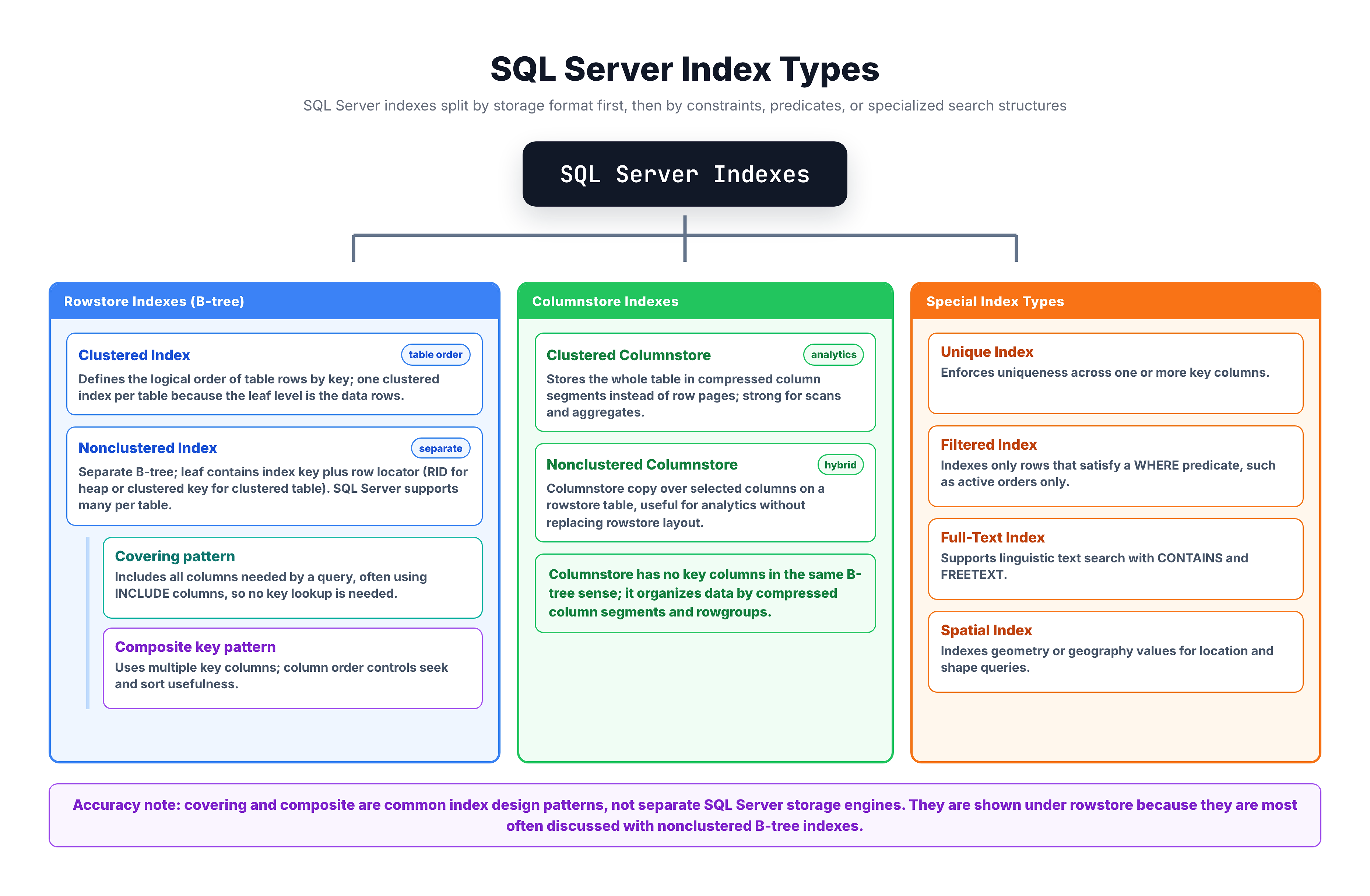
SQL Server offers several types of indexes. Here is a high-level map of all the index types you will encounter:
Let's briefly introduce each type before we dive deep into them in upcoming tutorials.
Rowstore Indexes
Rowstore indexes are the traditional and most commonly used index types. They store data row by row and use a B-tree structure internally.
Clustered Index
A clustered index determines the physical order in which data is stored on disk. Every table can have only one clustered index because the data rows themselves can only be sorted in one order.
| Property | Detail |
|---|---|
| Storage | Reorganizes the actual table data |
| Limit | Only 1 per table |
| Speed | Fastest for range queries on the indexed column |
| Default | Created automatically with a PRIMARY KEY |
NonClustered Index
A nonclustered index creates a separate structure that points back to the table data. It does not change the physical order of rows. You can create multiple nonclustered indexes on a single table.
| Property | Detail |
|---|---|
| Storage | Separate structure with pointers to data rows |
| Limit | Up to 999 per table |
| Speed | Fast for lookups on specific columns |
| Extra step | May need a "lookup" to fetch columns not in the index |
Composite Index
A composite index (also called a multi-column index) is an index that covers two or more columns. It can be either clustered or nonclustered.
-- Composite index on two columns
CREATE NONCLUSTERED INDEX IX_Orders_Status_Date
ON orders (order_status, order_purchase_timestamp);
The order of columns in a composite index matters — the index is most effective when queries filter on the leftmost columns first.
Columnstore Indexes
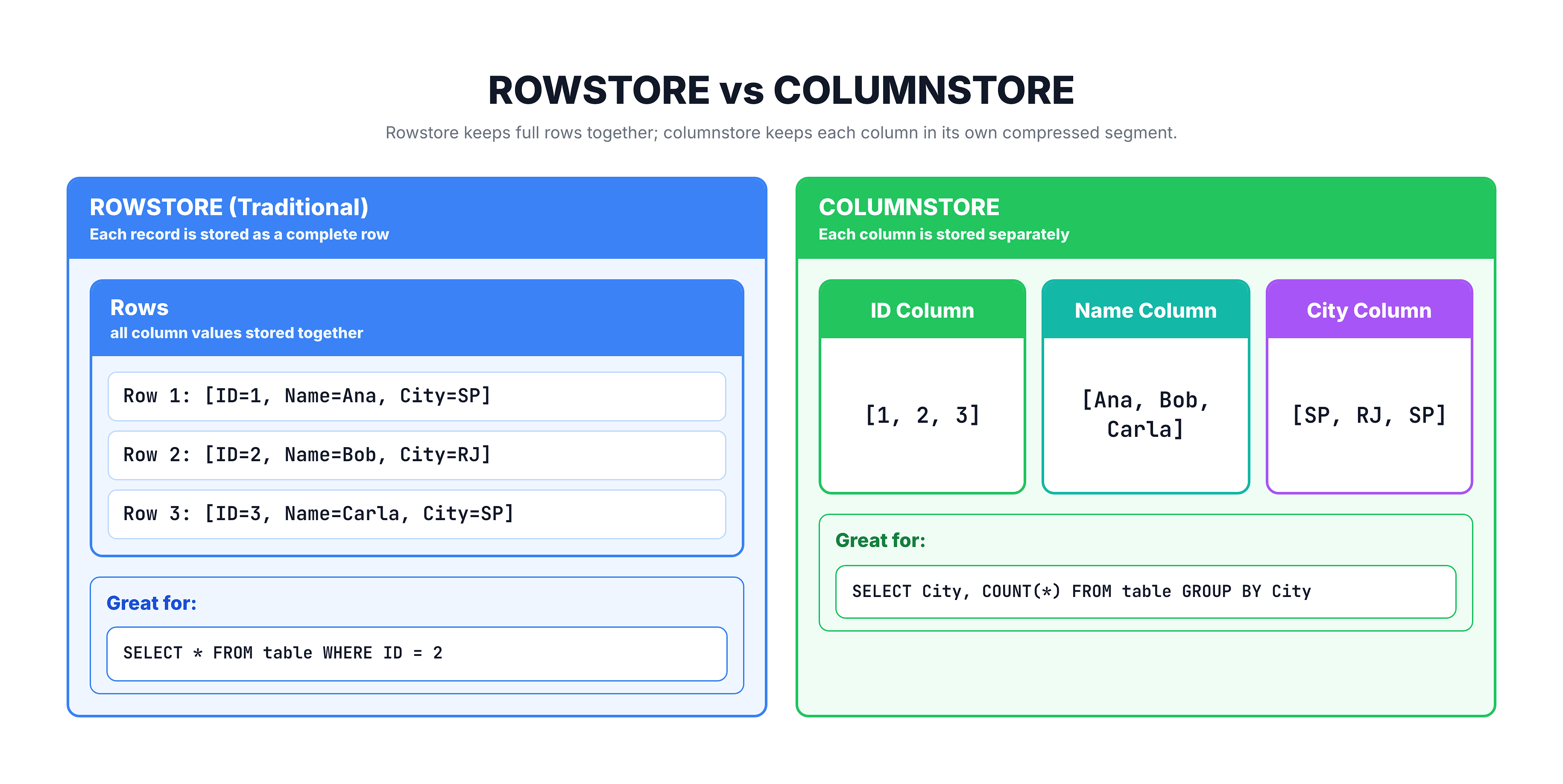
Columnstore indexes take a fundamentally different approach. Instead of storing data row by row, they store data column by column.
Row Storage vs Column Storage
Why Columnstore?
| Feature | Benefit |
|---|---|
| Compression | Same-type data compresses much better |
| Aggregations | SUM, COUNT, AVG run extremely fast |
| Analytics | Ideal for reporting and data warehouse queries |
| I/O Reduction | Only reads the columns your query needs |
Special Index Types
Beyond the standard rowstore and columnstore indexes, SQL Server provides specialized index types for specific use cases.
Unique Index
A unique index ensures that no two rows can have the same value in the indexed column(s). It enforces data integrity while also providing the performance benefits of an index.
-- Ensures no duplicate email addresses
CREATE UNIQUE INDEX UX_Customers_Email
ON customers (email);
Filtered Index
A filtered index is a nonclustered index with a WHERE clause. It only indexes rows that meet a specific condition, making it smaller and more efficient for targeted queries.
-- Only index delivered orders
CREATE NONCLUSTERED INDEX IX_Orders_Delivered
ON orders (order_purchase_timestamp)
WHERE order_status = 'delivered';
When to Use Each Special Type
| Index Type | Best For |
|---|---|
| Unique | Enforcing uniqueness (emails, usernames, codes) |
| Filtered | Queries that always filter on the same condition |
Comparison of All Index Types
Here is a side-by-side comparison to help you understand the differences:
| Feature | Clustered | NonClustered | Columnstore | Unique | Filtered |
|---|---|---|---|---|---|
| Max per table | 1 | 999 | 1 clustered + nonclustered | Multiple | Multiple |
| Changes data order | Yes | No | No | No | No |
| Separate structure | No | Yes | Yes | Yes | Yes |
| Best for | Range queries, PKs | Lookups | Analytics, aggregations | Uniqueness | Subset queries |
| Storage impact | Defines table layout | Additional space | Highly compressed | Additional space | Minimal space |
| Write overhead | Moderate | Moderate | Higher | Moderate + check | Low |
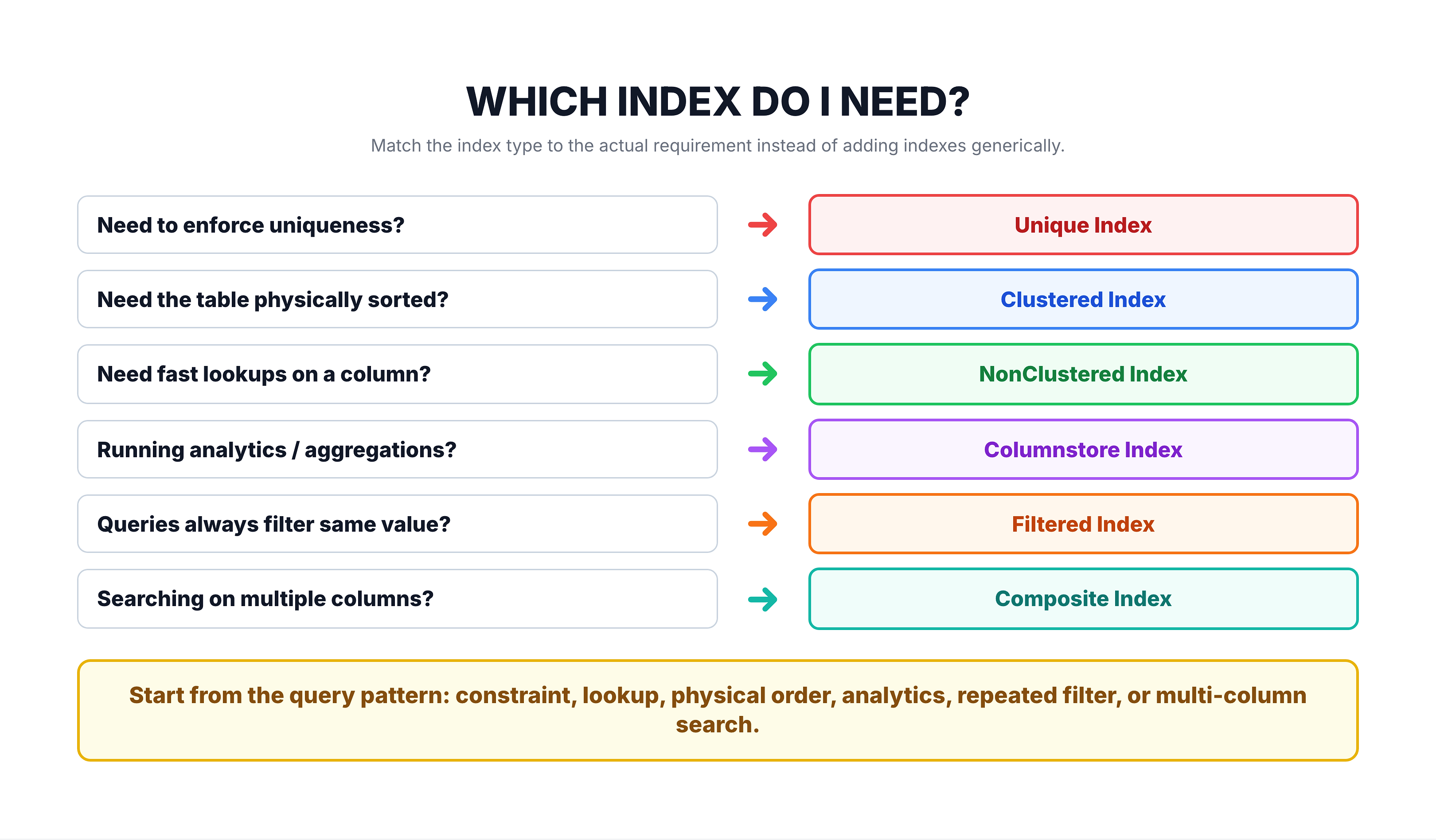
Quick Decision Guide
Summary
In this tutorial, you learned about the different types of indexes available in SQL Server:
| Category | Index Types | Key Characteristic |
|---|---|---|
| Rowstore | Clustered, NonClustered, Composite | Traditional B-tree, row-by-row storage |
| Columnstore | Clustered Columnstore, NonClustered Columnstore | Column-by-column storage, great for analytics |
| Special | Unique, Filtered | Enforce constraints or target specific data subsets |
Key Takeaways
- Clustered Index = one per table, defines physical data order
- NonClustered Index = separate lookup structure, many per table
- Columnstore = stores data by column for fast analytics
- Unique Index = prevents duplicate values
- Filtered Index = smaller, targeted index with a WHERE condition
- Composite Index = covers multiple columns
In the following tutorials, we will explore each index type in detail, starting with how data is stored without any index at all — the Heap Structure.