Introduction to Tables
Introduction
Welcome to the CTAS & TEMP Tables section of our SQL journey! Before diving into advanced table creation methods, let's establish a solid understanding of what tables are and the different ways to create them.
In this tutorial, you will learn:
- What database tables are and why they matter
- Different methods to create tables in SQL
- The evolution from basic CREATE TABLE to more advanced techniques
- When to use each table creation approach
What is a Table?
The Foundation of Relational Databases
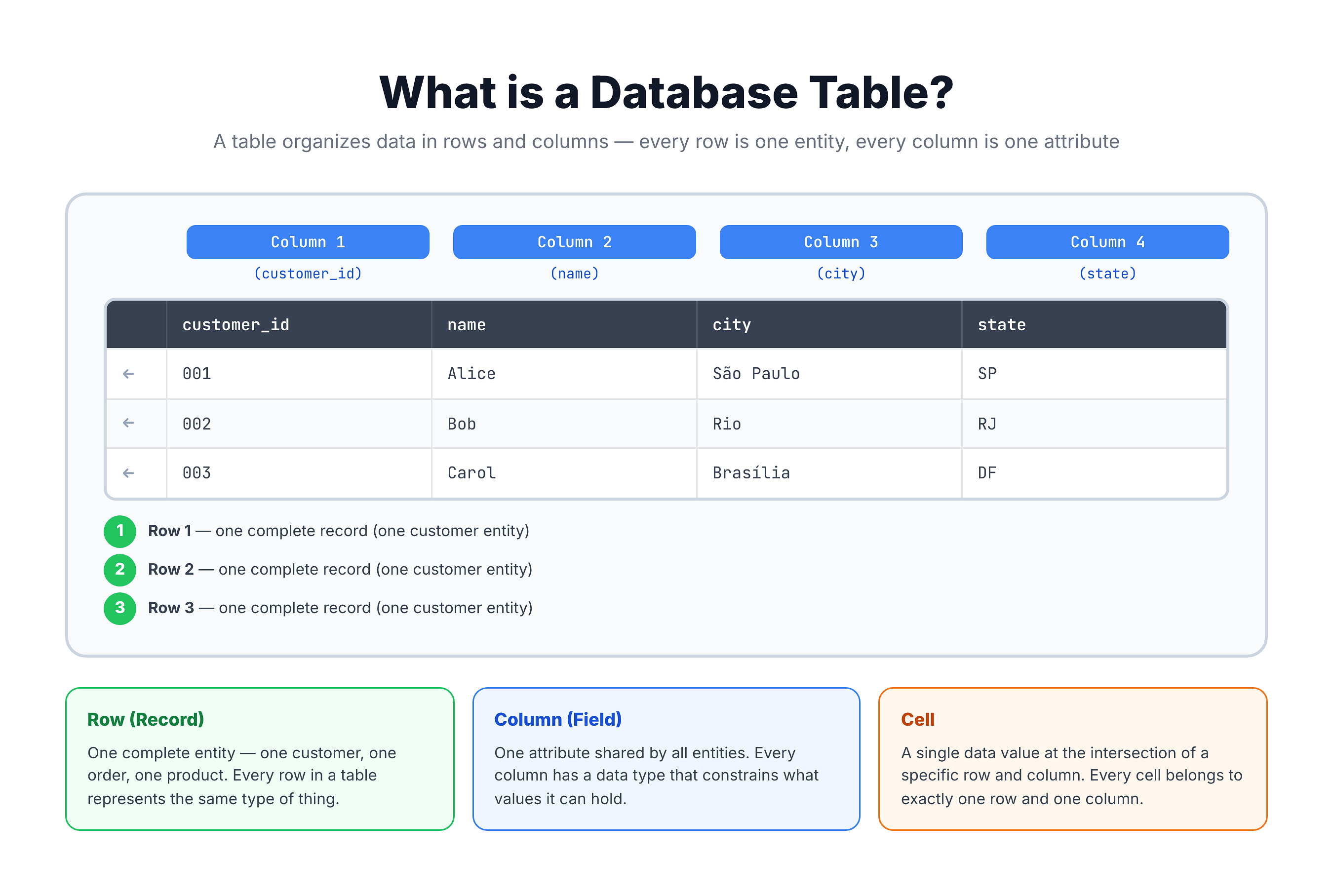
A table is the fundamental structure for storing data in a relational database. Think of it as a spreadsheet with rows and columns, where:
- Columns (also called fields) define the type of data stored
- Rows (also called records) contain the actual data values
Key Characteristics of Tables
| Characteristic | Description |
|---|---|
| Physical Storage | Data is stored on disk |
| Persistence | Data remains after session ends |
| Structure | Defined schema with data types |
| Relationships | Can link to other tables via keys |
| Indexable | Can have indexes for fast access |
Ways to Create Tables
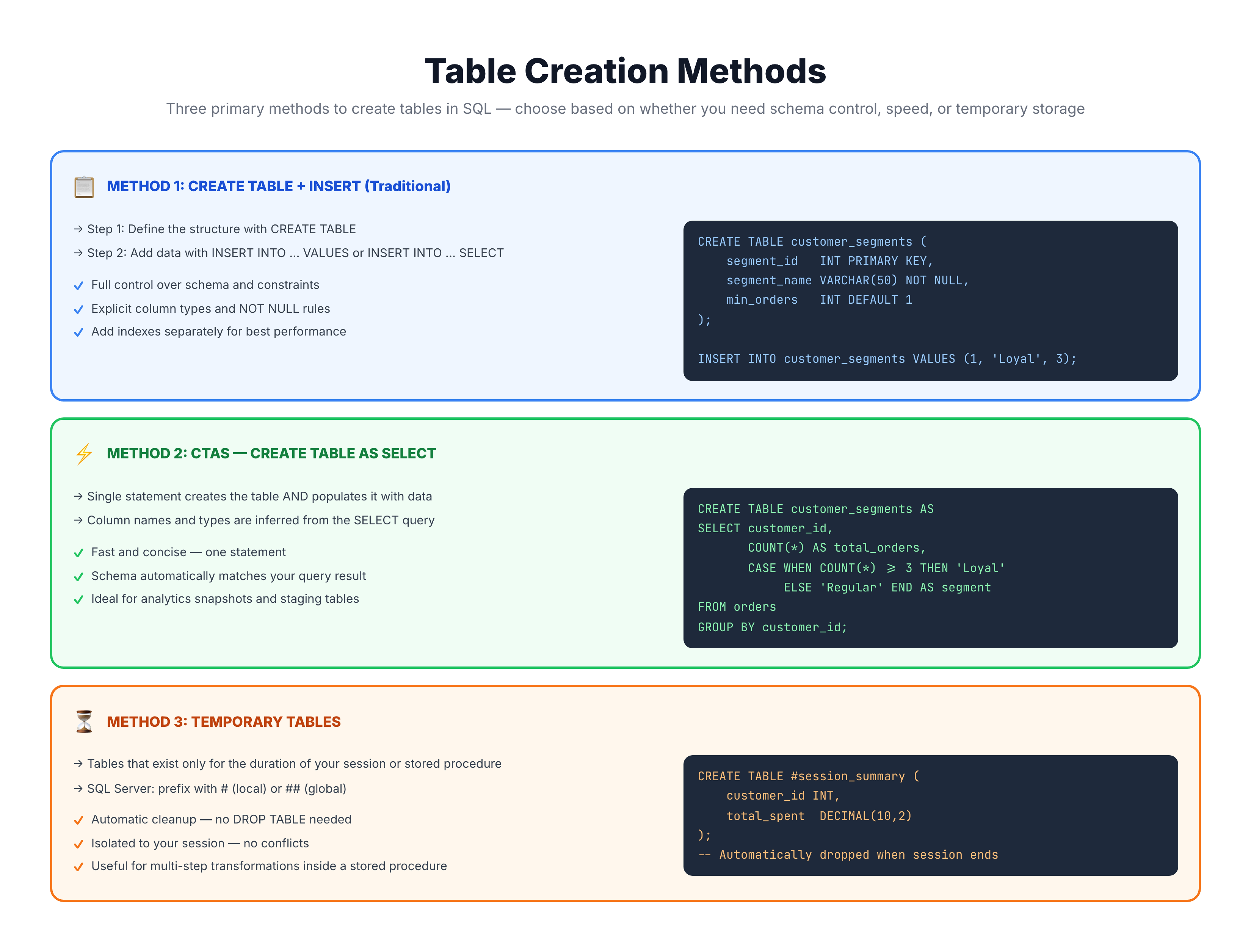
Three Main Approaches to Create Tables
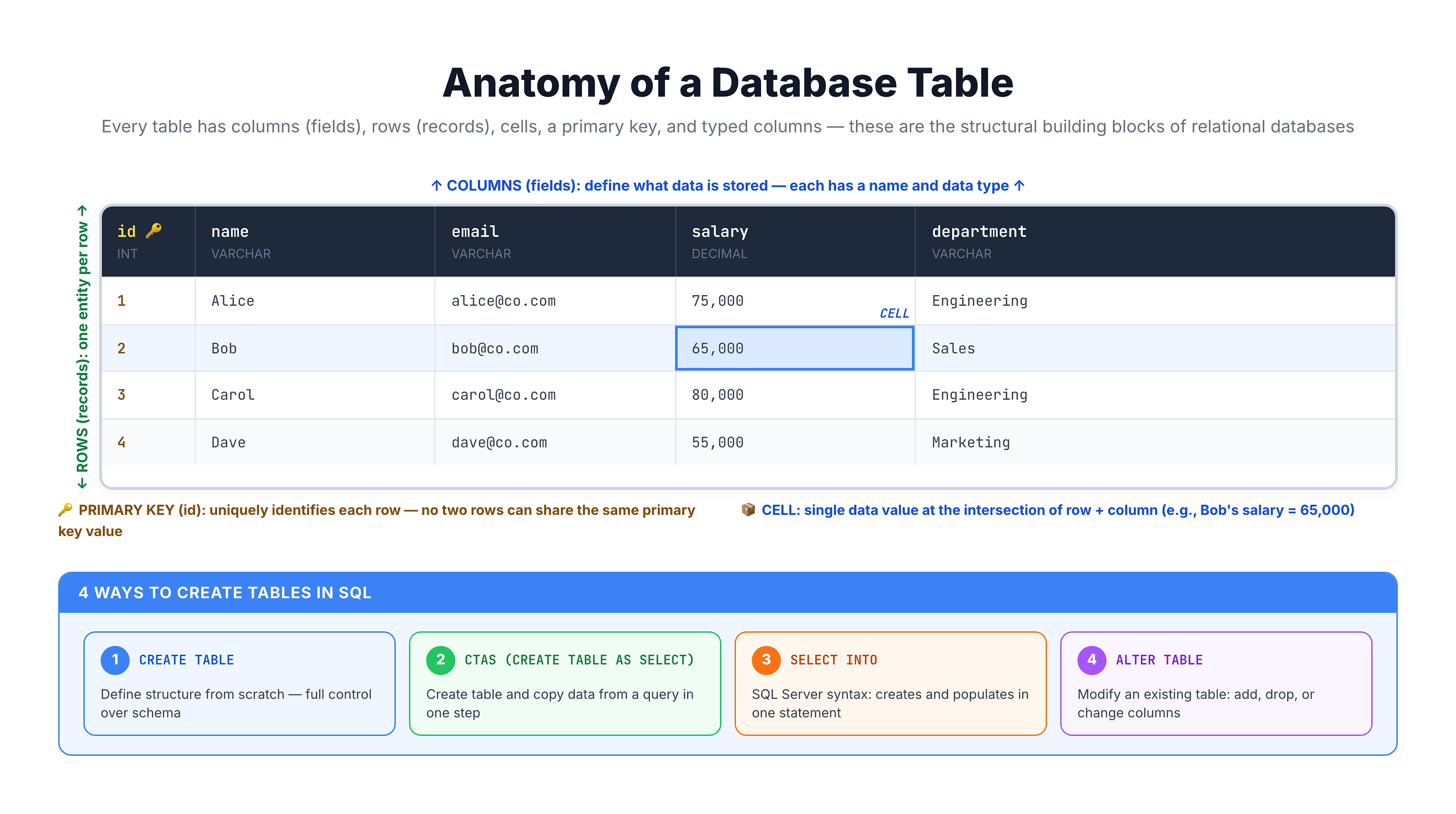
SQL provides several methods to create tables, each suited for different scenarios:
When to Use Each Method
| Method | Best For |
|---|---|
| CREATE + INSERT | Permanent tables with precise schema control |
| CTAS | Quickly materializing query results, data pipelines |
| TEMP Tables | Intermediate calculations, session-specific data |
Tables in the Learning Path
Understanding the Bigger Picture
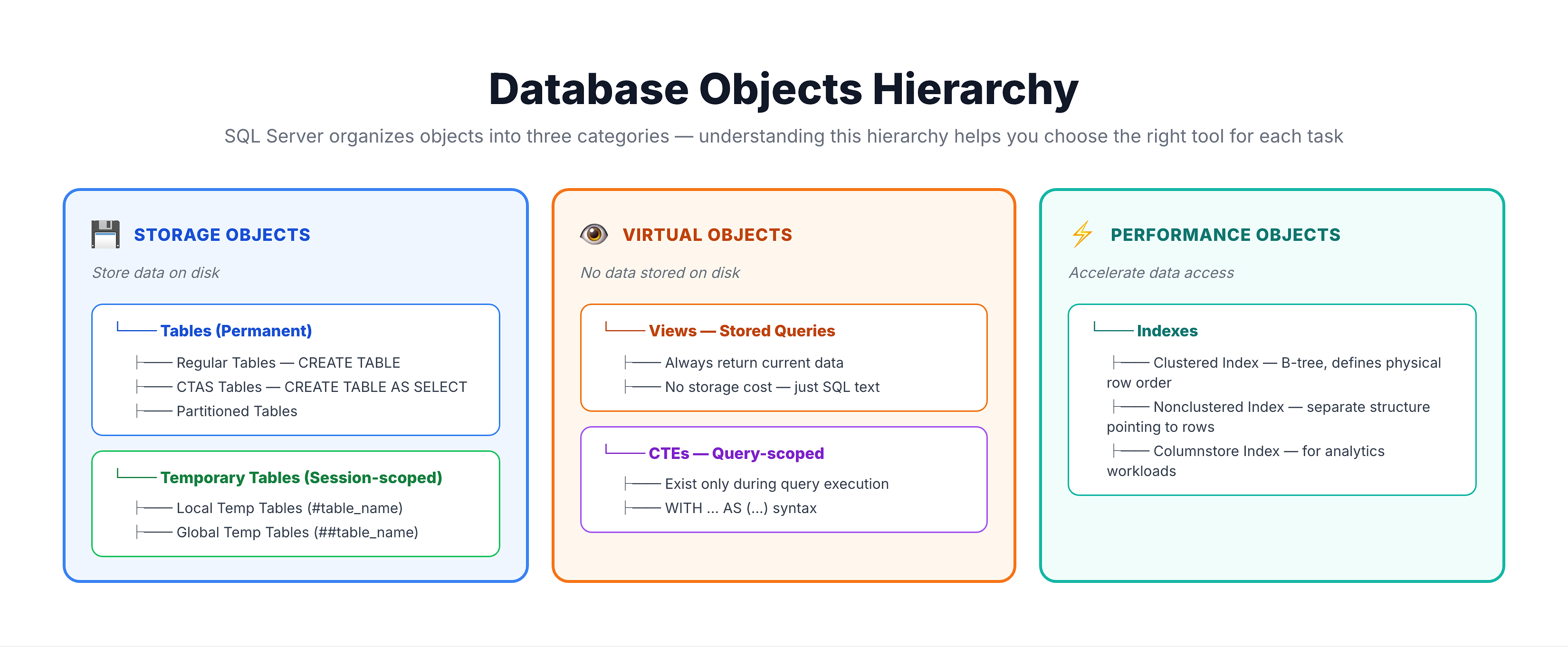
Tables fit into a broader ecosystem of database objects:
What You'll Learn in This Section
- CTAS (CREATE TABLE AS SELECT) - Create and populate tables in one statement
- Temporary Tables - Session-scoped tables for intermediate processing
- When to use what - Decision frameworks for choosing the right approach
Quick Preview
Let's see a quick preview of the table types we'll explore:
-- Preview: This query shows customer counts by state
-- In upcoming lessons, we'll learn to save this as a permanent table (CTAS)
-- or a temporary table for session-specific processing

SELECT
    customer_state,
    COUNT(*) AS customer_count,
    COUNT(DISTINCT customer_city) AS city_count
FROM olist_customers_dataset
GROUP BY customer_state
HAVING COUNT(*) > 100
ORDER BY customer_count DESC
LIMIT 10;
The query above produces useful aggregated data. In the following lessons, you'll learn how to:
- Save this as a CTAS table -
CREATE TABLE state_summary AS SELECT ... - Create a temp table -
CREATE TEMP TABLE session_stats AS SELECT ...
Each approach has its own advantages and use cases that we'll explore in detail.
Summary
Key Takeaways
-
Tables are the foundation - They store data physically in your database
-
Multiple creation methods exist - Each serves different purposes:
- CREATE TABLE + INSERT for precise control
- CTAS for quick materialization
- TEMP tables for session-scoped work
-
Tables vs Views - Tables store data; Views store queries
-
Coming up next - We'll compare CTAS with the traditional CREATE + INSERT approach
Quick Reference
| Object | Stores Data? | Persists? | Session-Scoped? |
|---|---|---|---|
| Regular Table | ✅ Yes | ✅ Yes | ❌ No |
| CTAS Table | ✅ Yes | ✅ Yes | ❌ No |
| Temp Table | ✅ Yes | ❌ No | ✅ Yes |
| View | ❌ No | ✅ Yes | ❌ No |
| CTE | ❌ No | ❌ No | Query only |