Introduction Indexes
Introduction
As databases grow to contain millions or even billions of rows, the speed at which queries return results becomes critically important. Without any optimization, the database engine must scan every single row in a table to find the data you need — a process that gets slower as the table grows. This is where indexes come in.
In this tutorial, you will learn:
- What an index is and why it exists
- How indexes speed up data retrieval
- The analogy between database indexes and book indexes
- When indexes help and when they can hurt performance
- The trade-offs involved in using indexes
What is an Index?
An index is a special data structure that the database engine creates and maintains alongside your table data. Its sole purpose is to make finding rows faster.
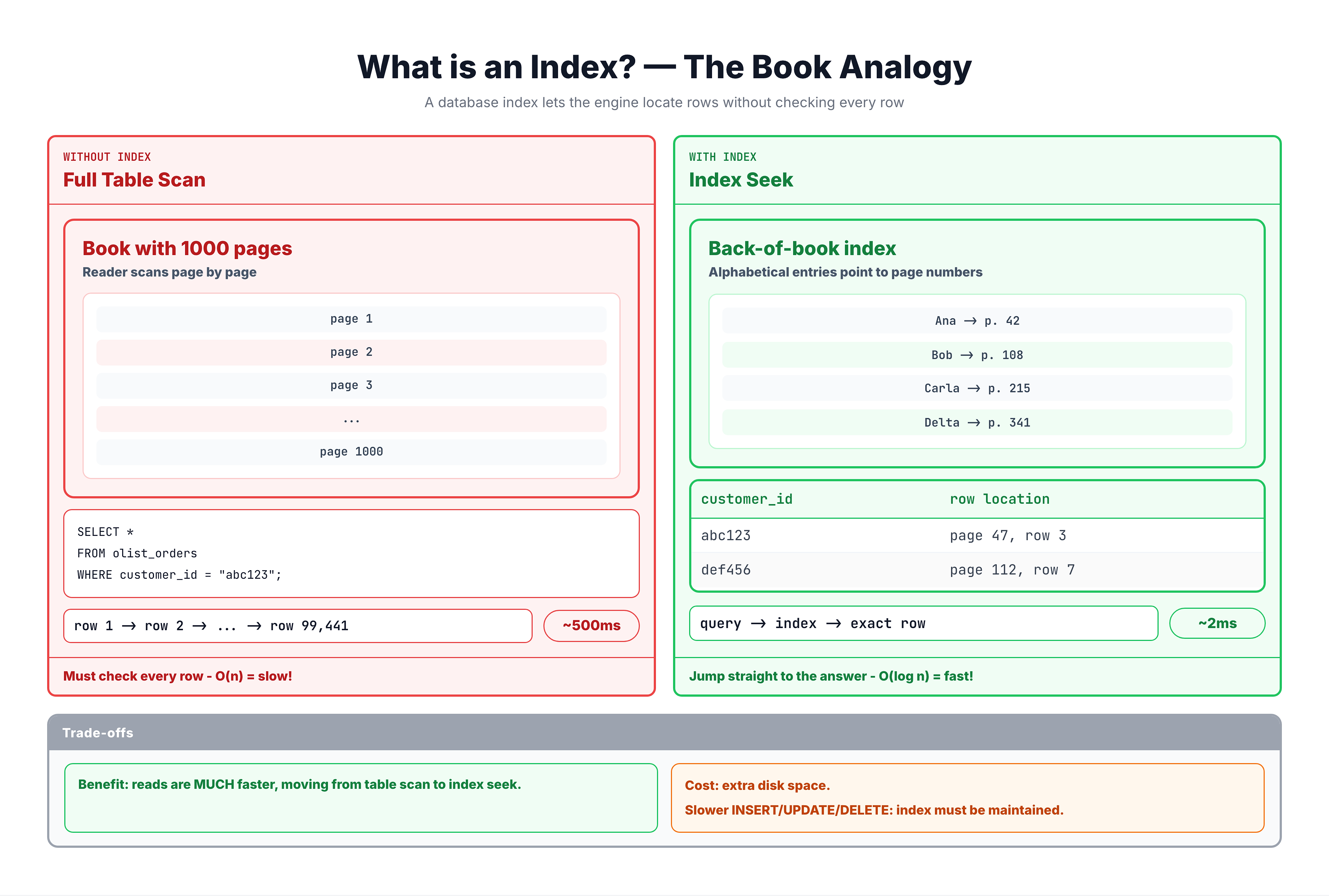
Think of it like the index at the back of a textbook. If you want to find every page that mentions "JOIN," you have two choices:
-
Without an index: Flip through every single page of the book from start to finish, checking each page for the word "JOIN." This works, but it is painfully slow for a 500-page book.
-
With an index: Go to the index at the back, look up "JOIN," and immediately see that it appears on pages 45, 78, and 132. You jump directly to those pages.
A database index works exactly the same way. Instead of scanning every row in a table (called a full table scan), the database uses the index to jump directly to the rows that match your query.
Why Do We Need Indexes?
The primary reason for indexes is performance. Here is what happens as your data grows:
| Table Size | Without Index | With Index |
|---|---|---|
| 1,000 rows | Fast enough | Fast |
| 100,000 rows | Noticeable delay | Fast |
| 1,000,000 rows | Slow (seconds) | Fast |
| 100,000,000 rows | Very slow (minutes) | Fast |
Without an index, the database performs a full table scan — it reads every row in the table to find the ones that match your query. The time this takes grows linearly with the table size.
With an index, the database can use efficient data structures (typically a B-tree) to find matching rows in logarithmic time — meaning the lookup time grows very slowly even as the table size increases dramatically.
Real-World Impact
Consider an e-commerce platform with 100 million orders. A customer wants to see their order history:
SELECT * FROM orders WHERE customer_id = 'CUST_12345';
- Without an index: The database reads all 100 million rows to find maybe 15 orders. This could take minutes.
- With an index on customer_id: The database finds those 15 orders almost instantly, typically in milliseconds.
The Trade-Offs of Indexes
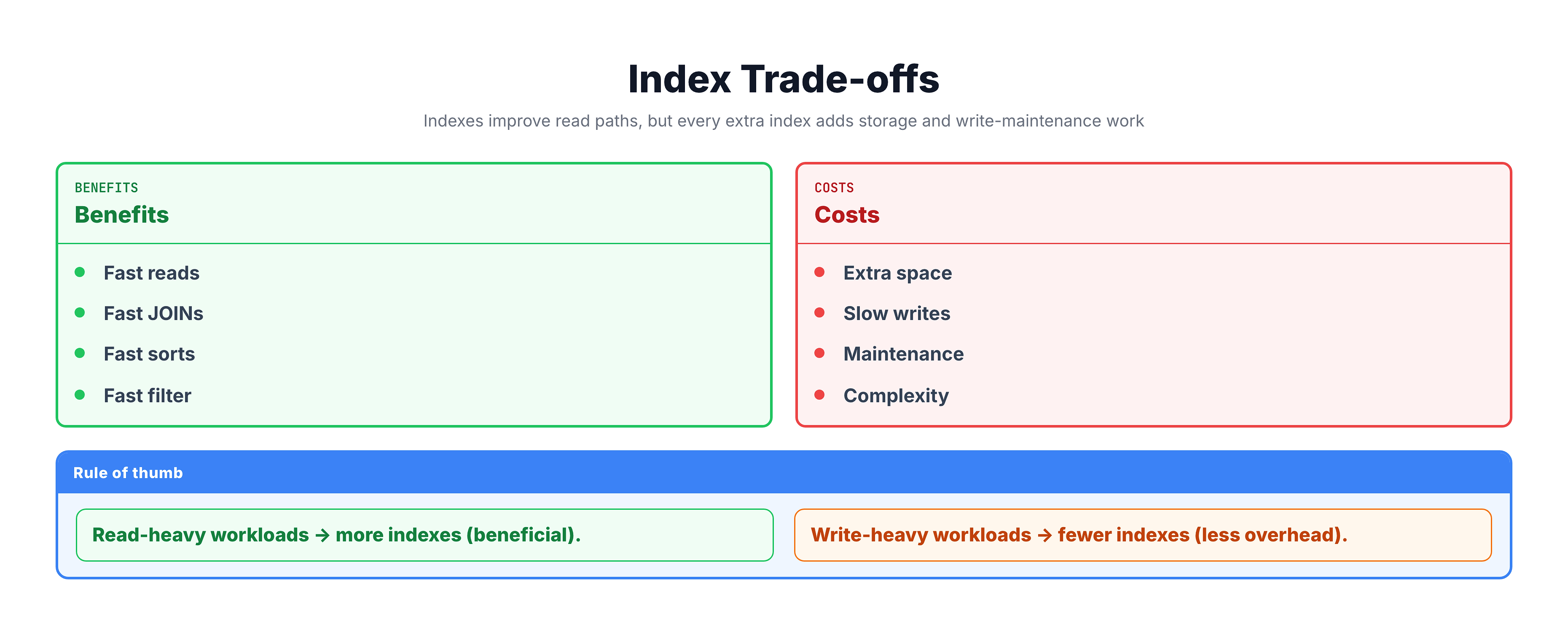
Indexes are not free. They come with costs that you need to understand:
Benefits of Indexes
- Faster SELECT queries — dramatically improves read performance
- Faster JOINs — indexes on join columns speed up table combinations
- Faster sorting — indexes can provide pre-sorted data for ORDER BY
- Faster filtering — WHERE clause conditions resolve much quicker
Costs of Indexes
- Storage space — each index takes up disk space (can be significant for large tables)
- Slower writes — INSERT, UPDATE, and DELETE operations become slower because the index must also be updated
- Maintenance overhead — indexes need periodic maintenance (rebuilding, reorganizing)
How the Database Uses Indexes Internally
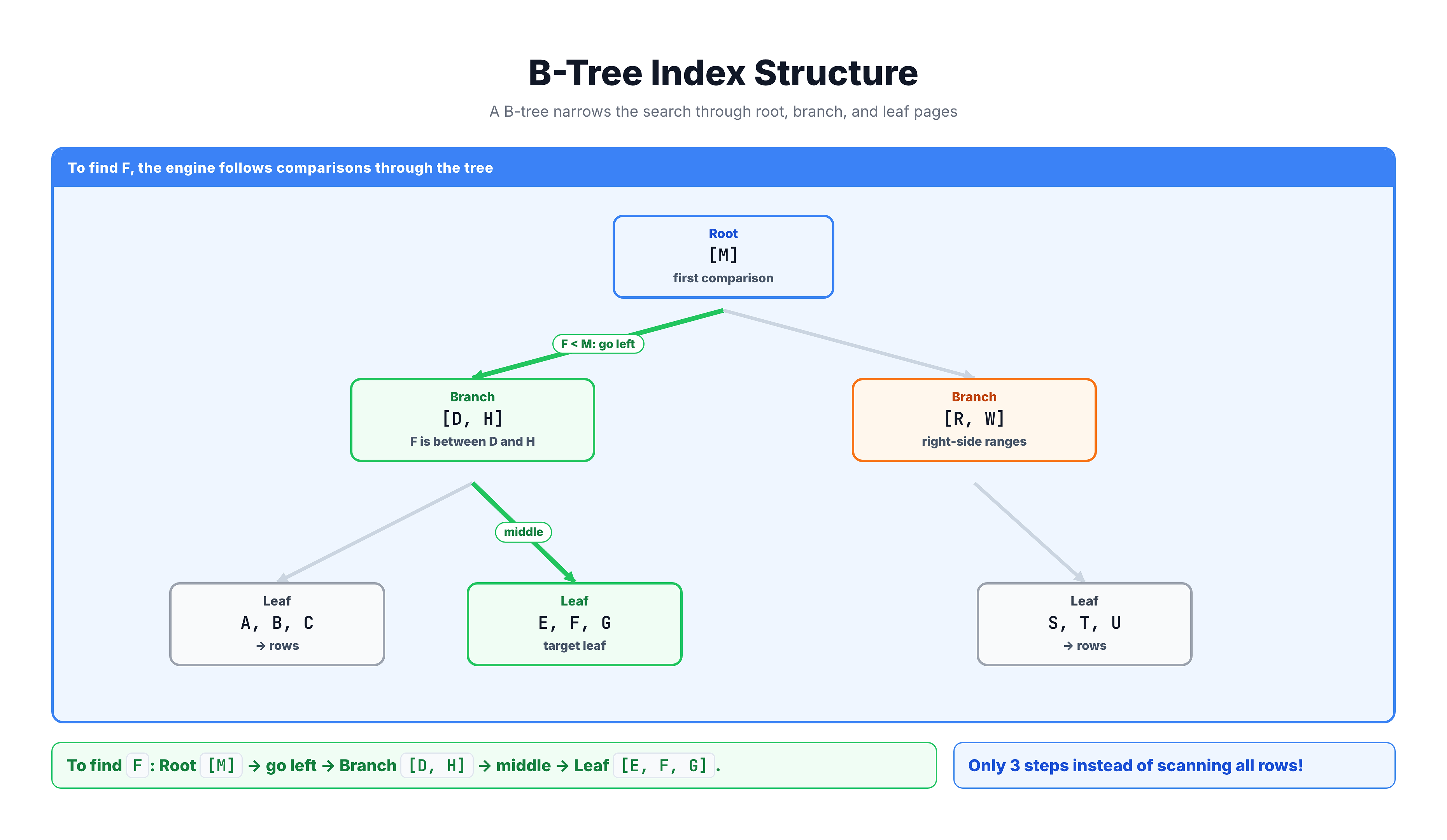
When you create an index, the database builds a B-tree (balanced tree) data structure. This is a sorted, hierarchical structure that enables extremely fast lookups.
B-Tree Structure
Key Points About B-Trees
| Property | Description |
|---|---|
| Balanced | All leaf nodes are at the same depth, ensuring consistent performance |
| Sorted | Data is kept in sorted order, enabling range queries |
| Logarithmic | Finding a value takes O(log n) steps — very fast even for huge tables |
| Self-maintaining | The tree automatically rebalances when data is inserted or deleted |
Summary
Here is what you should remember about indexes:
| Concept | Key Takeaway |
|---|---|
| What | A data structure that speeds up data retrieval |
| Why | Avoids full table scans, enables fast lookups |
| How | Uses B-tree structure for logarithmic search time |
| Trade-off | Faster reads but slower writes and extra storage |
| Analogy | Like a book index — jump to the right page instantly |
When to Use Indexes
- Columns used frequently in WHERE clauses
- Columns used in JOIN conditions
- Columns used in ORDER BY or GROUP BY
- Tables with many more reads than writes
When to Be Cautious
- Small tables (full scan is fast enough)
- Columns that are updated very frequently
- Tables with heavy INSERT/UPDATE/DELETE workloads
- Columns with very low cardinality (few unique values)
In the next tutorials, we will explore the specific types of indexes available and how to create them.